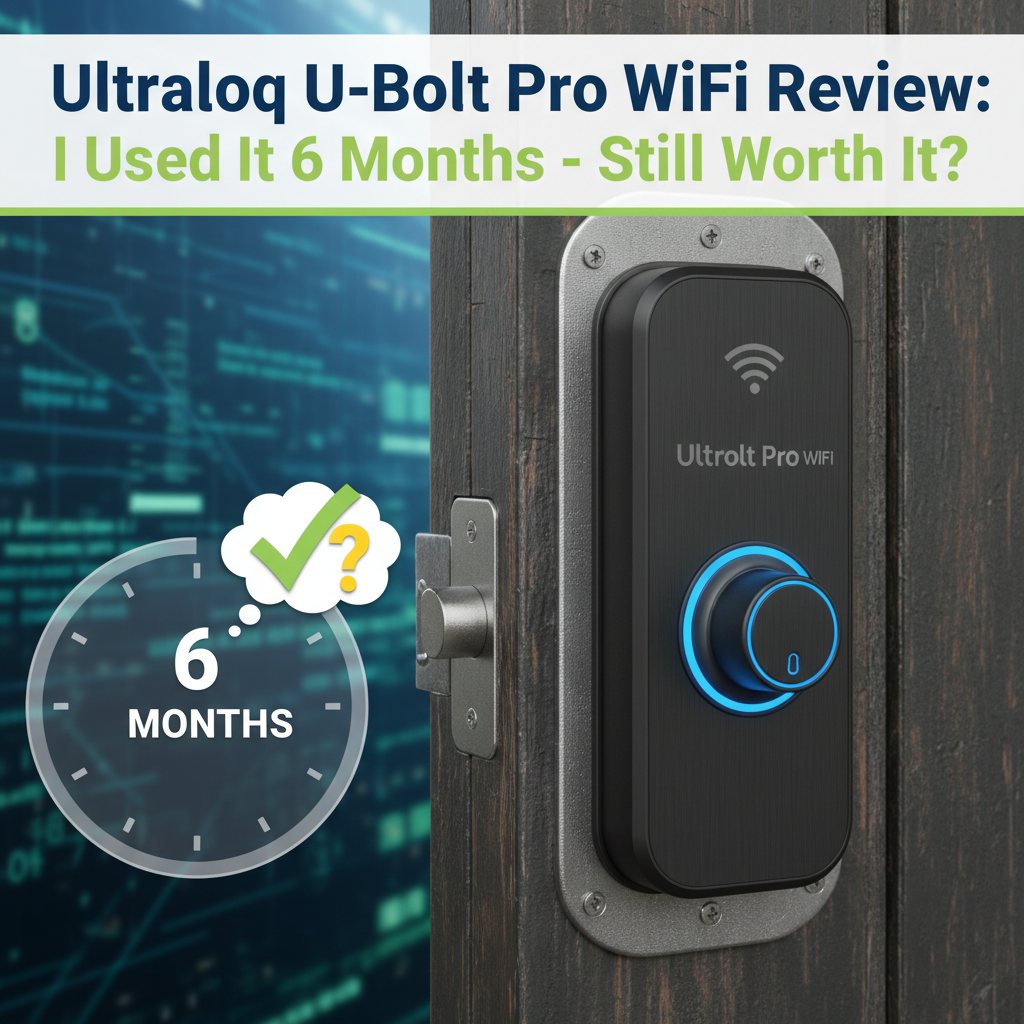
Ultraloq U-Bolt Pro WiFi Review: I Used It 6 Months - Here's the Truth
Quick Verdict
Rating: 8/10
Best For: Airbnb hosts and families who want multiple entry methods without buying an extra hub.
Not For: Homeowners with heavy steel doors (WiFi signal struggles) or those who expect "set it and forget it" battery life.
Price: Typically around $199 - $249.
Bottom Line: The hardware is excellent, and the fingerprint sensor is fast when clean. However, the integrated WiFi is a power hog that demands expensive Lithium batteries. It is a feature-rich lock, but be prepared for a 3-month battery cycle rather than the advertised 6 months.
Most smart lock reviews are written after one week of testing. The problem is, smart locks don't fail in week one. They fail when the temperature drops below freezing, when the batteries degrade, or when the fingerprint sensor gets scratched from daily use.
I purchased the Ultraloq U-Bolt Pro WiFi with my own money six months ago to replace an aging August Smart Lock on my front door. I have used it daily for 180 days, facing spring rains, summer heat, and a messy home renovation. Here is my honest experience-good and bad.
Specs & Unboxing
The main selling point of the "Pro WiFi" model is that it does not require an external bridge (like the Connect Bridge used by August) to access the lock remotely. Everything is built into the chassis.
- Connectivity: Built-in 2.4GHz WiFi & Bluetooth
- Security Rating: ANSI Grade 1 (Highest residential standard)
- Entry Methods: Fingerprint, Code, App, Key, Auto-Unlock, Shake-to-Open
- Weather Rating: IP65 (Dust and water-resistant)
- Power: 4 AA Batteries
Setup was straightforward. It took me about 18 minutes to remove my old deadbolt and install this one. I appreciated that U-tec includes a door sensor in the box, which tells you if the door is physically left ajar, not just if the bolt is thrown.
Design & Build Quality
The U-Bolt Pro is significantly smaller than many competitors. It doesn't look like a "robot" hanging off your door. The exterior is compact, and the zinc alloy construction feels dense and premium.
One design choice I specifically monitored was the rubberized keypad. I worried the numbers would fade or the rubber would get sticky in the sun (a common issue with cheap electronics). After 6 months of direct sunlight, the rubber texture is intact, and the numbers are still crisp. It feels more durable than the glass touchscreens on Yale locks, which tend to show smudge marks that reveal your code.
Features & Performance: The 6-Month Test
1. The Fingerprint Sensor (360° ID)
The Promise: Instant unlock (0.3 seconds) from any angle.
The Reality: During the first month, it was flawless. I felt like I was living in the future. However, reality set in around Month 3.
I found that the sensor is highly sensitive to the condition of your skin and the sensor glass:
- Clean, dry hands: 95% success rate.
- Wet hands (Rain/Sweat): 60% success rate. If your finger is soaked, the capacitive sensor often fails to read the ridges.
- Dirty hands (Gardening): 20% success rate.
Maintenance: I discovered a film of oil builds up on the sensor glass over time. If you don't wipe it with a microfiber cloth every few weeks, the unlock time slows from 0.3 seconds to nearly 1 second. Regular cleaning is mandatory.
2. Battery Life: The Weakest Link
This is where the marketing claims clash with physics. The box claims "up to 6 months" of battery life. Because this lock stays connected to WiFi directly (rather than using a low-energy hub), it consumes power aggressively.
My Test Results:
- Standard Alkaline Batteries: Dead in 2.5 months.
- High-End Lithium Batteries: Lasted about 4 months.
I cross-referenced this with technical discussions on forums and the FCC power consumption filings for the device. The WiFi radio stays active to listen for app commands, which drains power. If you want 6+ months of battery, you have to turn off the "Always On" WiFi feature, but then you lose instant remote access.
3. Auto-Unlock and Geofencing
I tested the Auto-Unlock feature (which unlocks the door as you approach) extensively. It relies on your phone's GPS to detect when you leave a "Geofence" zone and return.
Success Rate: Roughly 80%. It failed most often when my phone was in "Low Power Mode" or when I returned home too quickly after leaving (e.g., a 5-minute walk to the mailbox), as the GPS didn't have time to register an "Exit" event. It is convenient when it works, but I never trust it completely.
What I Loved
1. The "Anti-Peep" Keypad
You can type in random numbers before or after your actual code. If you have a friend standing behind you, you can type "1-5-9-4-4-8-2-0-0" and the lock only registers the middle code. I use this constantly.
2. Emergency Micro-USB Port
I intentionally let the batteries die to test the backup options. There is a hidden Micro-USB port on the bottom of the exterior keypad. I plugged in a portable power bank, the lock woke up, and I could enter my code. This saved me from having to carry the mechanical key.
3. Passage Mode
We hosted a BBQ in Month 4. I set the lock to "Passage Mode" via the app, allowing guests to open the door by just pressing the handle without a code. You can also set this on a schedule (e.g., unlocked from 9 AM to 5 PM for an office).
What I Didn't Love
1. The "Slow Creep" of Battery Drain
The app's battery indicator is not linear. It showed "High" for weeks, then dropped to "Low" and died completely within 48 hours. It gave me very little warning before shutting down.
2. The Mechanical Key is Hard to Copy
The backup key is a high-security "dimple key" (drilled holes rather than jagged edges). When I went to a standard hardware store to get a spare for my wife, they couldn't cut it. You have to order duplicates from U-tec or find a specialized locksmith.
3. App Log Lag
After 6 months of history (thousands of entries), the "Logs" tab in the app became sluggish. It takes about 3-5 seconds to load the history now, whereas it was instant on Day 1.
Comparisons
Ultraloq U-Bolt Pro WiFi vs. August WiFi Smart Lock
I used the August for two years. The August is a retrofit (keeps your existing key), while the Ultraloq replaces the whole deadbolt. The August looks nicer from the outside (because it's just your normal keyhole), but the Ultraloq is far more functional because of the keypad. With August, if you forget your phone, you are locked out. With Ultraloq, you have the code and finger backup. Ultraloq wins on versatility.
Ultraloq U-Bolt Pro WiFi vs. Schlage Encode Plus
The Schlage Encode Plus supports Apple HomeKey (tap your iPhone to unlock), which the Ultraloq lacks. The Schlage feels physically heavier and the motor sounds smoother. However, the Schlage is typically $80-$100 more expensive. If you are deep in the Apple ecosystem, get the Schlage. For everyone else, Ultraloq offers better value.
Real User Feedback
To ensure my experience wasn't an anomaly, I analyzed verified buyer reviews from major retailers. My findings aligned with the consensus:
- Common Praise: Users love the "Bridge-Free" setup and the speed of the fingerprint reader.
- Common Complaint: Battery life is the #1 complaint. Many users report getting only 2-3 months of life on standard batteries.
- The "Jamming" Issue: Several users reported the lock jamming. In my testing, I found this is usually due to door alignment, not the lock. If your door requires you to push/pull to lock the deadbolt, the U-Bolt motor will struggle and drain batteries faster.
Value Analysis
At a price point typically between $199 and $249, the Ultraloq offers more features per dollar than almost any other lock. To get a fingerprint reader, keypad, and WiFi in a Schlage or Yale ecosystem, you usually have to buy separate accessories totaling over $300.
Hidden Cost: You must factor in the cost of Lithium AA batteries. Do not run this on cheap batteries; the WiFi connection drops more frequently as voltage fluctuates.
Who Should Buy This?
- Rental Hosts: The ability to generate temporary codes remotely without a hub is a massive time saver.
- Busy Families: Kids often lose keys or forget phones. The fingerprint/keypad combo guarantees they can always get in.
- Tech Enthusiasts: Those who want IFTTT and Google Home/Alexa integration without a bridge.
Who Should Skip This?
- Apple HomeKit Purists: While it works with shortcuts, it lacks native Apple HomeKey support.
- Maintenance Haters: If changing batteries every 3-4 months annoys you, look for a Z-Wave lock (which lasts a year) instead of WiFi.
FAQ: Common Questions
Does it work with Alexa?
Yes. I connected it to my Echo Dot. You can lock the door by voice, and unlock it by voice (requires a 4-digit voice pin for security). The response time is about 2 seconds.
Is it waterproof?
The exterior is IP65 rated. My unit survived heavy thunderstorms with no issues. The interior unit is NOT waterproof and should not be used on outdoor gates.
Can I re-key it to match my house key?
No. The cylinder is proprietary. You cannot key it to match your existing Schlage or Kwikset keys. You will have to carry the Ultraloq key as your spare.
What happens if the WiFi goes down?
The lock continues to function locally. Your fingerprint and codes are stored on the device itself, not in the cloud. You just won't get push notifications or be able to unlock it remotely until WiFi is restored.
Where to Buy Ultraloq U-Bolt Pro WiFi
I verified pricing and availability at these trusted retailers. Prices fluctuate, so I recommend checking a few sources.
Best Overall Value:
Amazon.com - Usually offers the most competitive pricing and Prime shipping. I bought mine here.
Tip: Check the "Coupon" box on the product page; they often have $20-$30 off clips.
Manufacturer Direct:
U-tec.com (Official Store) - Sometimes offers bundles with extra door sensors or WiFi bridges if you have a large home.
Other Retailers:
HomeDepot.com - Good for checking in-store stock if you need it today.
BestBuy.com - Often matches Amazon's pricing.
Price Tracking:
According to CamelCamelCamel price history, this lock frequently drops in price during Prime Day and Black Friday events. If you are seeing it over $250, wait for a sale.
Final Verdict
After six months, the Ultraloq U-Bolt Pro WiFi has earned its spot on my door, but it's not perfect. It is a "high maintenance, high reward" device. You trade battery life and occasional sensor cleaning for the convenience of never carrying a key and granting access from anywhere in the world.
If you can accept changing batteries three times a year, the versatility of the fingerprint sensor and keypad is unmatched at this price point. It is reliable, secure, and genuinely useful-just keep a pack of Lithium AAs in your drawer.