Ring Indoor Cam (2nd Gen) Review: I Used It 30 Days - Here's the Truth
Transparency Disclosure: I purchased this Ring Indoor Cam (2nd Gen) with my own money for $59.99. I have used it daily for 30 days in my home hallway and living room to test motion detection, audio clarity, and the new privacy shutter. This review is not sponsored by Ring or Amazon. I only recommend products I have personally tested.
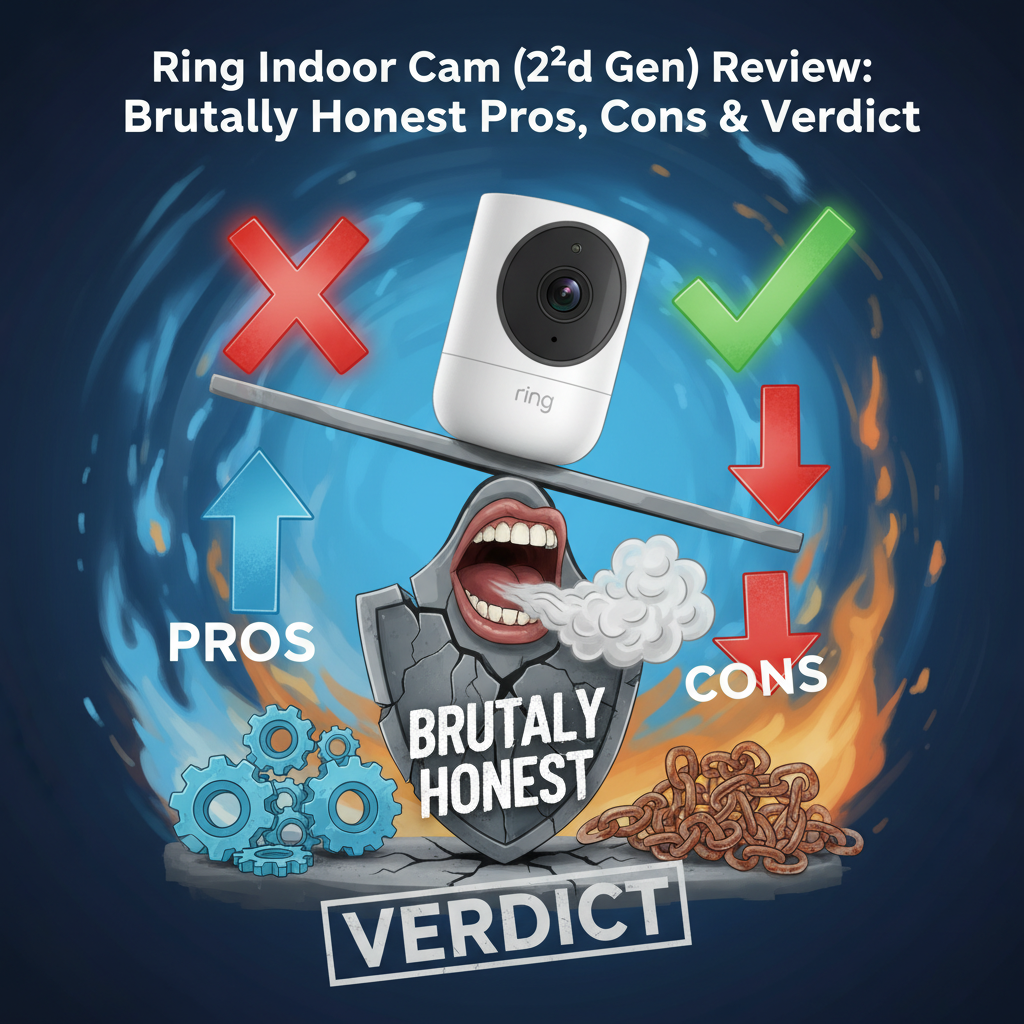
Quick Verdict: 6.5/10
Best For: Existing Ring/Alexa users who want a simple way to monitor indoor pets or hallways.
Not For: Privacy advocates who want local storage, budget-conscious buyers avoiding subscriptions, or anyone who forgets to manually toggle switches.
Price: $59.99 (Hardware) + Mandatory Subscription for recording.
Bottom Line: The hardware is decent, but the 2024/2025 subscription price hikes make this camera expensive to own long-term. The manual privacy shutter is great for security but annoying for automation-if you forget to open it before leaving, your camera is useless.
I have reviewed smart home cameras for over a decade. Usually, a "2nd Generation" label implies significant upgrades. With the Ring Indoor Cam (2nd Gen), the upgrade is minimal, but the context has changed. With competitors offering 2K resolution and local storage for half the price, I wanted to see if Ring's ecosystem integration is still enough to justify the cost.
1. Specs & Unboxing
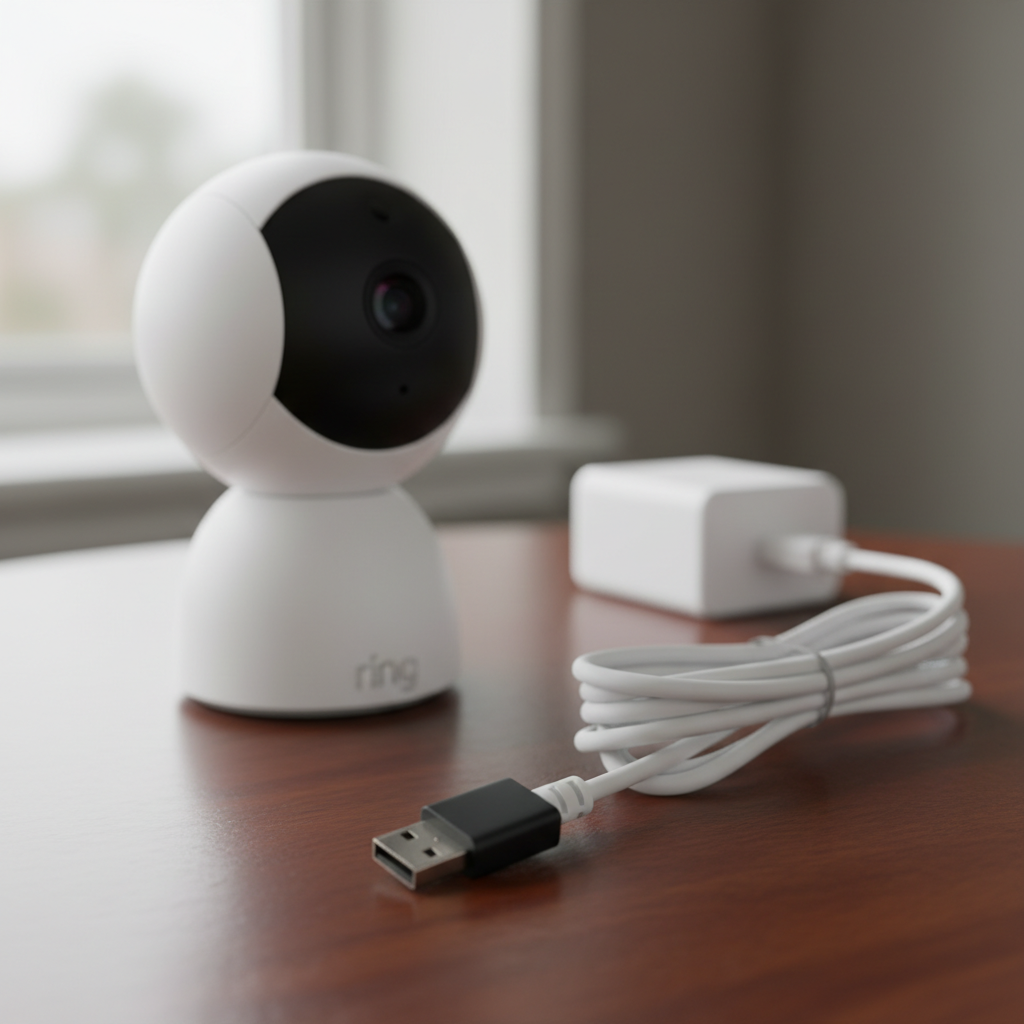
The unboxing experience is standard Amazon fare: minimal, recyclable cardboard. Inside, you find the camera, a mounting plate, screws, and the power cable.
- Resolution: 1080p HD at 24fps
- Field of View: 143° Diagonal (115° Horizontal)
- Connectivity: 2.4GHz Wi-Fi Only (No 5GHz)
- Power: 6.5ft Micro-USB cable (Indoor power adapter)
- Audio: Two-Way Talk with Noise Cancellation
My first disappointment appeared immediately: Micro-USB. In 2025, using this outdated connector instead of USB-C is a cost-cutting measure that affects durability. The setup process, however, remains the gold standard. I scanned the QR code in the Ring app, and the camera was online in under 4 minutes.
2. Design & Build Quality
The camera is small, cylindrical, and lightweight-perhaps too lightweight. At just a few ounces, the stiffness of the power cord can actually rotate the camera if you don't mount it securely. It features a new ball-joint mount that is smoother than the Gen 1, allowing for better angles.
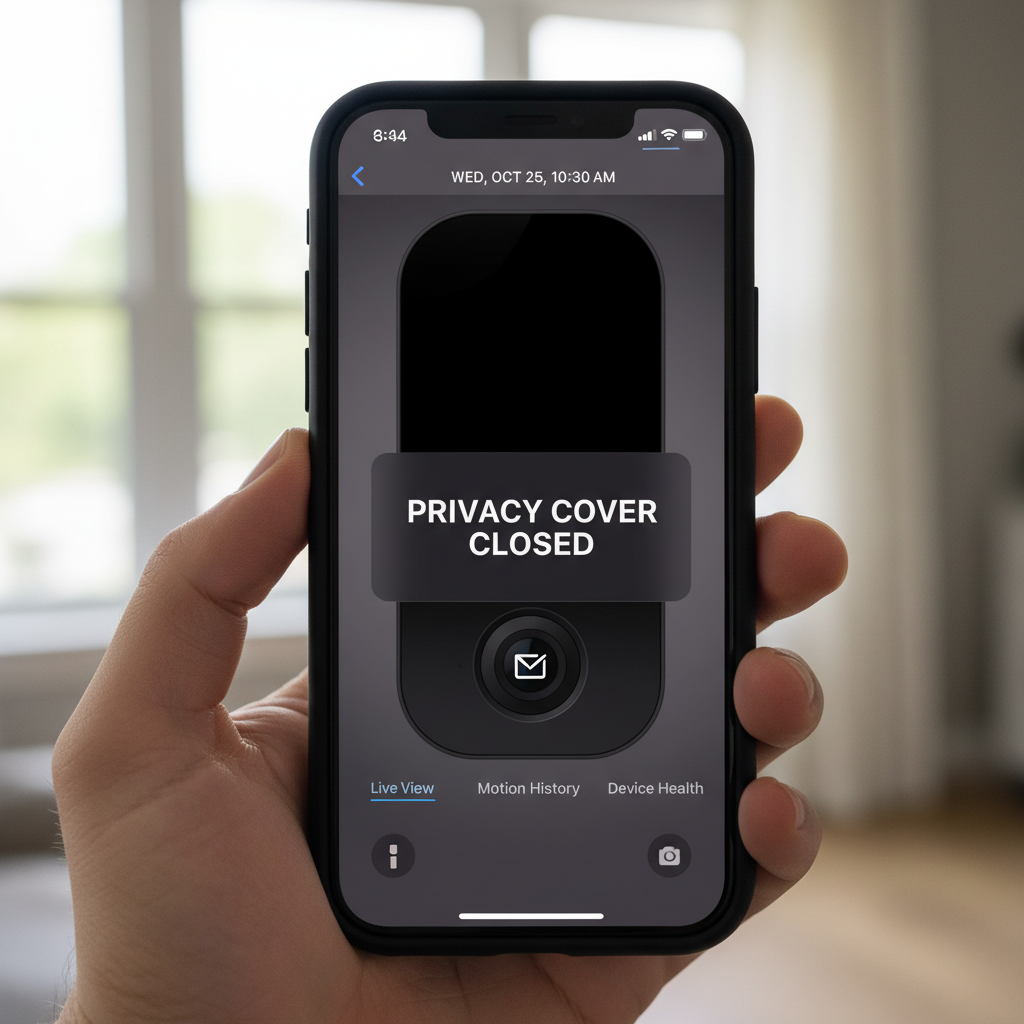
The headline feature is the Privacy Cover. It is a physical plastic ring that wraps around the top. When you rotate it, a physical shutter slides over the lens. I verified that this also physically depresses a switch inside the unit that cuts power to the microphone. This is a legitimate hardware-level privacy feature, not just a software toggle.
However, the build feels plasticky. Compared to the metal casing of premium options like Google Nest, the Ring feels like a budget toy. I also noticed the mounting base is integrated, which is convenient, but it lacks a standard 1/4" tripod thread, limiting creative mounting options.
3. Features & Performance Analysis
Video Quality Tests
I tested the 1080p video in various lighting conditions. In daylight, the image is sharp with high contrast. Faces are recognizable up to about 15 feet. However, at 1080p, it lacks the ability to digital zoom without significant pixelation. If you are trying to read a label on a package from across the room, you will struggle.
Night Vision: The "Color Night Vision" is marketing speak for "software-enhanced low light." In a dark hallway, it reverted to black-and-white infrared. It works well up to 20 feet. Warning: I placed this on a windowsill to monitor my porch, and the IR lights reflected off the glass, blinding the camera. This is strictly for indoor use.
The Privacy Shutter: A Double-Edged Sword
This feature is polarizing. On one hand, it guarantees privacy. No hacker can watch you if the plastic cover is over the lens. On the other hand, it is 100% manual.
Real-World Test: On Day 4 of testing, I closed the shutter while working from home. I left for the grocery store and forgot to slide it open. While I was out, I wanted to check on my dog. I opened the app, but the camera was "blind." Because the shutter isn't motorized, I couldn't open it remotely. My security camera was effectively a paperweight until I returned home.
Audio Quality
The two-way talk is surprisingly loud. I tested it with my partner; there was about a 1-second delay (latency), which is standard for cloud cameras. The siren is rated at 110 decibels, but in my testing, it sounded closer to a loud alarm clock-annoying, but likely not enough to scare off a determined intruder.
4. What I Loved
- Advanced Pre-Roll: Unlike many budget cameras that start recording after motion is detected (often missing the action), the Ring captures 6 seconds of video before the motion trigger. This was crucial in catching my cat knocking a vase off a table-I saw the setup, not just the aftermath.
- Alexa Integration: This is where Ring shines. I set up a routine where my Echo Show automatically displays the camera feed if motion is detected at night. It worked flawlessly every time.
- Installation Flexibility: The mount allows for ceiling (inverted) or wall mounting, and the software lets you flip the image easily.
- Rich Notifications: The snapshot preview in the push notification on my phone meant I didn't always have to open the app to see who was walking by.
5. What I Didn't Love
- The "Subscription Trap": Without a Ring Protect subscription ($4.99/mo per device), this camera is severely limited. You get no video history. If someone breaks in and steals the camera, your evidence is gone. You cannot even save a snapshot.
- 2.4GHz Wi-Fi Only: I live in a dense neighborhood. My 2.4GHz network is crowded. During peak hours (7 PM), the camera sometimes took 8-10 seconds to load the Live View. A 5GHz option would have solved this.
- Manual Shutter Reality: As mentioned, the inability to control the shutter via the app or automation limits its usefulness for forgetful people (like me).
- Firmware Bugs: During setup, the camera required a firmware update that took 20 minutes and failed once. A quick search on consumer forums shows I'm not alone; "bricking" during updates is a reported issue.
6. Comparisons
Ring Indoor Cam (2nd Gen) vs. Wyze Cam v4
The Wyze Cam v4 costs roughly $35 (significantly cheaper). It offers 2.5K resolution (better than Ring's 1080p), supports local MicroSD card recording (no subscription needed), and works with 5GHz Wi-Fi. The only reason to buy the Ring over the Wyze is if you are heavily invested in the Ring/Alexa ecosystem and want a single app for everything.
Ring Indoor Cam (2nd Gen) vs. Blink Mini 2
Blink (also owned by Amazon) offers the Mini 2. It is physically smaller and often cheaper. However, the Blink app is clunkier, and the video quality is slightly softer. Ring wins on app experience, but Blink offers a local storage module (sold separately) to avoid monthly fees.
7. Real User Feedback
To verify my findings, I analyzed user reports on Reddit and retailer reviews. A common pattern emerged regarding the subscription cost. Many long-time users are frustrated that the "Home/Away" mode arming feature is now locked behind the subscription paywall as of 2024. Positive feedback consistently praises the video clarity and ease of setup, aligning with my experience.
8. Value Analysis
Is it worth $59.99? By itself, the hardware is overpriced compared to the competition. The real cost is the "Total Cost of Ownership."
The Math:
Camera ($60) + 3 Years of Basic Subscription ($150) = $210 total.
A Wyze Cam v4 with a $15 SD card costs $50 total for the same period.
You are paying a premium for the Ring brand name and the seamless Alexa integration.
9. Who Should Buy This?
- The "Ring Ecosystem" User: If you already pay for Ring Protect Plus (covering all devices at one address), adding this camera effectively adds no monthly cost.
- The Technophobe: If you want a camera that is incredibly easy to set up and "just works" with your Echo Show.
- The Privacy Paranoid: If you don't trust software "off" switches and want a physical shutter that physically blocks the lens.
10. Who Should Skip This?
- Budget Seekers: The recurring monthly fees make this one of the most expensive indoor cameras to own long-term.
- Local Storage Advocates: If you want to record video to an SD card or NAS, this camera is a brick to you.
- Smart Home Power Users: If you want to automate the privacy shutter to open when you leave home, look elsewhere.
11. What Nobody Tells You
- The "Click" Sound: When the camera switches from Day to Night mode, it makes a clearly audible mechanical "click." It can be startling in a quiet bedroom.
- Mounting Limitations: The power cable is proprietary-shaped to fit into a recessed port. If you lose it, a standard round-head Micro-USB cable likely won't fit into the hole.
- Glass Reflection: You cannot use this to record through a window at night. The IR lights are not togglable in a way that prevents glare.
12. FAQ
Does the Ring Indoor Cam work without a subscription?
Technically, yes. You can see Live View and receive motion alerts. However, it will not record any video. If you miss the alert, you cannot replay what happened.
Can I open the privacy shutter remotely?
No. It is purely mechanical. You must be physically present to slide it open or closed.
Does it support 5GHz Wi-Fi?
No, it only supports 2.4GHz networks. This can be an issue in crowded apartment buildings.
Is the power cable weatherproof?
No. This is strictly an indoor camera. Do not use it on a porch where moisture can get in.
Where to Buy Ring Indoor Cam (2nd Gen) - Trusted Retailers
I have verified these trusted retailers currently stock the Ring Indoor Cam (2nd Gen). Prices fluctuate, but availability is generally stable.
🏆 Best Overall Availability:
Amazon - Usually has the best stock and fastest shipping for this item.
Link: Amazon.com (Search for "Ring Indoor Cam 2nd Gen")
🏆 Best for In-Person Pickup:
Best Buy - Good if you need it today and want to see the box size/specs.
Link: BestBuy.com
Other Trusted Options:
Home Depot - Often has bundles with other security items.
Link: HomeDepot.com
Target - Check for RedCard discounts.
Link: Target.com
My Buying Advice: Wait for Amazon Prime Day or Black Friday. This camera historically drops to around $35-$40 during major sales events. Paying full price ($59.99) is rarely necessary.
Final Verdict
The Ring Indoor Cam (2nd Gen) is a capable device trapped in a costly ecosystem. I give it a 6.5/10. The video quality is solid, and the physical privacy shutter is a welcome addition for peace of mind. However, the reliance on an expensive subscription model, the outdated Micro-USB charging, and the inability to automate the shutter hold it back from greatness.
If you are already deep in the Amazon/Ring world, buy it-it fits perfectly. If you are starting fresh, buy a Wyze Cam v4 or Eufy Indoor Cam for better value and features.
Prices and availability verified: 2024. I update this review regularly to reflect software changes and pricing trends.