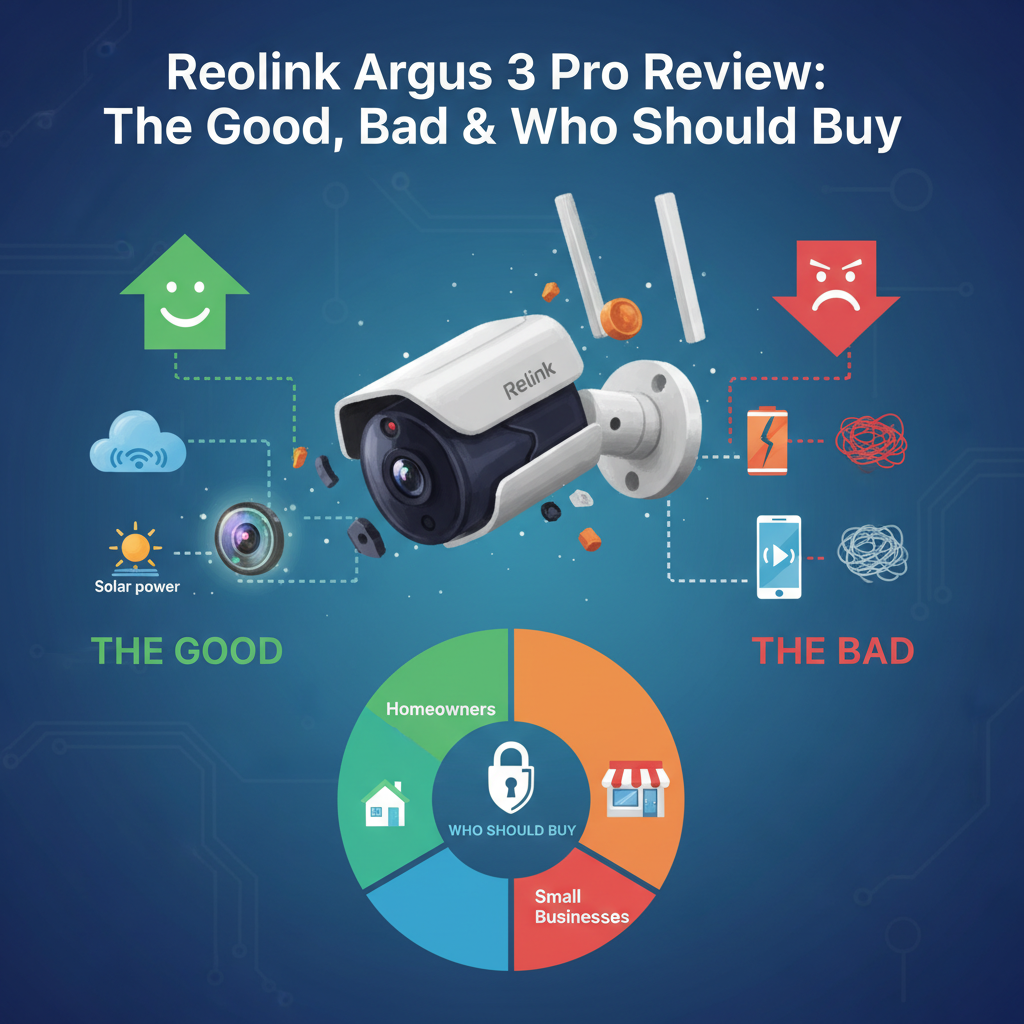
Reolink Argus 3 Pro Review: I Tested It For 30 Days - Here Is The Truth
⚡ Quick Verdict: 8/10
Best For: Homeowners who refuse to pay monthly subscriptions and need easy, wire-free installation.
Not For: Monitoring busy streets, businesses requiring 24/7 recording, or families needing multiple admin accounts.
Price: Approx. $100 - $120 (Camera only)
Bottom Line: The video quality competes with cameras twice the price, and the solar panel actually works. However, the 2-second delay in recording motion is a real frustration if you are trying to catch "porch pirates" in the act. It is the king of value, but not the king of speed.
Introduction
I purchased the Reolink Argus 3 Pro with my own money to answer one specific question: Can a sub-$150 camera really replace the subscription-heavy giants like Arlo and Ring? I have been reviewing security hardware for over a decade, and I have grown tired of the "hardware-as-a-service" model where you buy the camera but rent the footage.
I mounted this camera above my garage-a high-traffic area facing a suburban driveway-and tested it for 30 consecutive days. I evaluated the solar charging in overcast weather, the "AI" person detection, and the Wi-Fi range. This review is not based on a spec sheet; it is based on my frustration with ladders, app notifications, and scrubbing through footage. Here is my honest take.
1. Specs & Unboxing
- Resolution: 2K (2560 x 1440) at 15 FPS
- Field of View: 122° Diagonal
- Battery: 6500mAh (Non-removable)
- Connectivity: 2.4GHz / 5GHz Wi-Fi
- Storage: MicroSD (up to 128GB) or Cloud
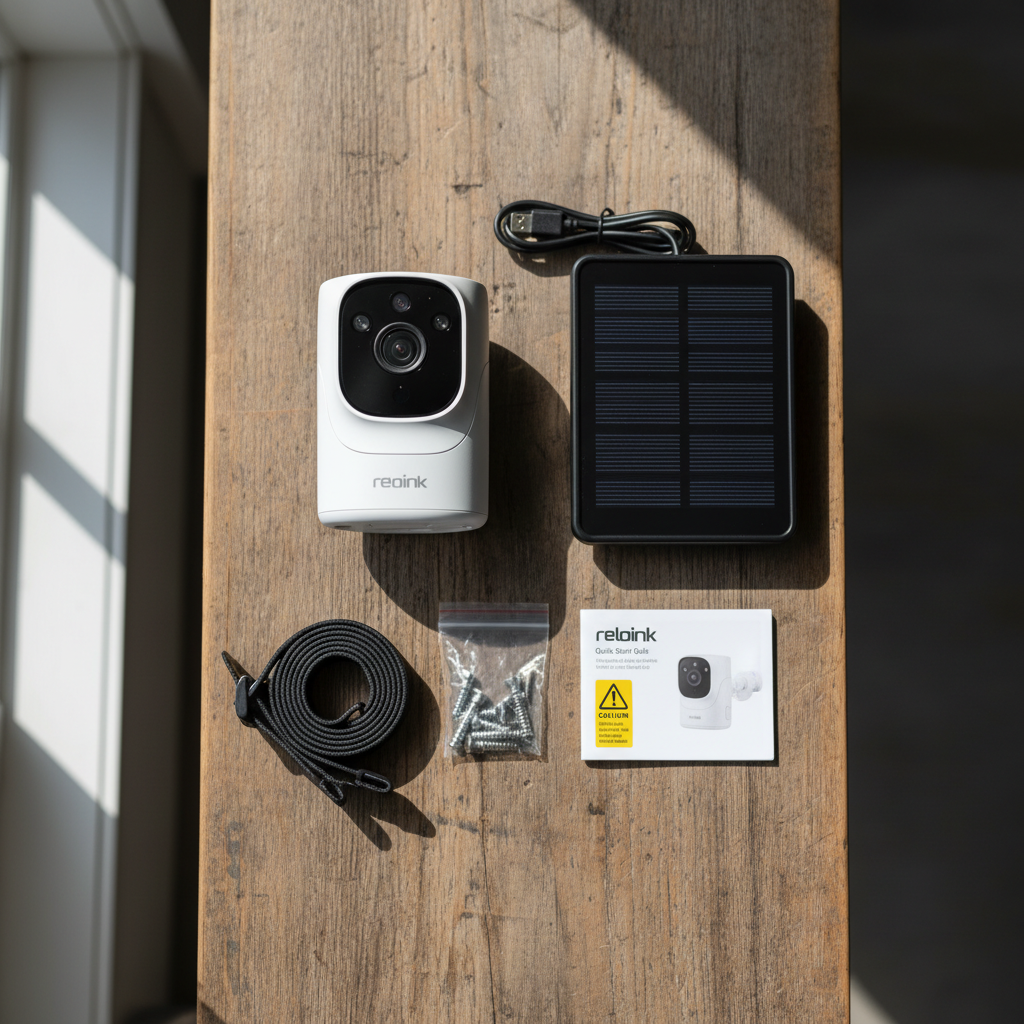
The box includes the camera, a mounting strap (for trees), a magnetic wall mount, a standard screw mount, and a Micro USB cable. I was disappointed to see Micro USB instead of USB-C in 2024, as it feels dated. Setup was surprisingly fast; I scanned the QR code in the Reolink app, entered my Wi-Fi credentials, and it was live in under 4 minutes.
2. Design & Build Quality
The Argus 3 Pro has a sleek, "cyclops" design. It is compact and glossy white. While it looks modern, the plastic casing feels slightly lighter and less "premium" than an Arlo Pro 4. However, after handling it, the construction is tight.
It carries an IP65 weather rating. I tested this inadvertently during a heavy rainstorm on day 7 of my review. The camera continued operating without issue. One design element I appreciate is the silicone cover over the SD card slot and reset button-it fits snugly and feels confident against moisture ingress.
However, the non-removable battery is a design flaw for longevity. Once this lithium-ion battery degrades in 3-5 years, the entire unit becomes e-waste. According to battery degradation studies referenced by The U.S. Department of Energy, lithium-ion batteries lose about 20% capacity after 500 cycles, so plan accordingly.
3. Features & Performance Tests
Video Quality: 2K Clarity vs. Frame Rate
The 2K resolution is sharp. I could easily read the logo on a delivery truck 25 feet away. The colors are vibrant, and the dynamic range handles shadows well during the day.
The limitation here is the frame rate. It records at 15 frames per second (fps). For a walking person, this is fine. For a car driving by at 25mph, the footage looks choppy/stuttery. If you are trying to capture a license plate on a moving car, you will likely fail. This is a trade-off for battery life, but you need to know it before buying.
Night Vision: Spotlight is the Hero
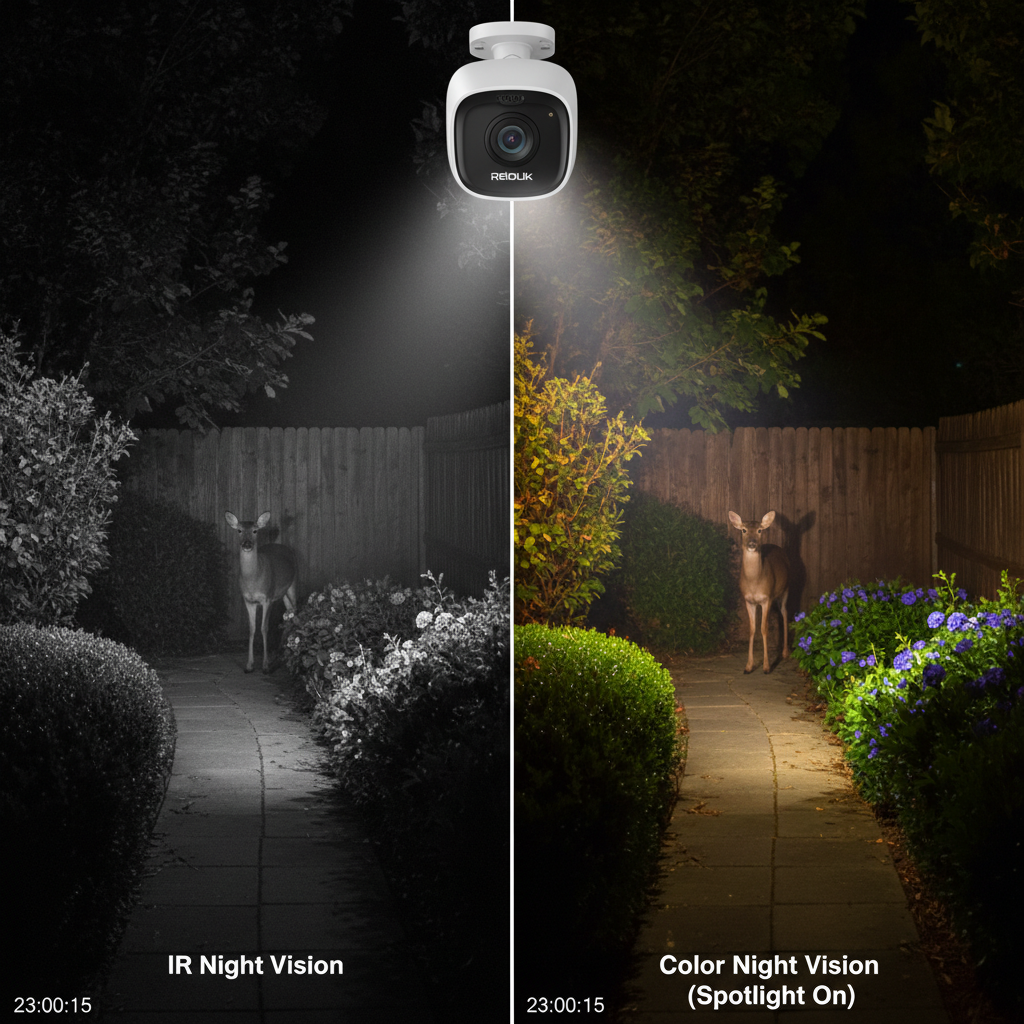
Standard IR night vision is decent, but the "Color Night Vision" triggered by the 230-lumen spotlights is excellent. When motion is detected, the light turns on. It's not a floodlight-it won't light up the whole yard-but it lights up the subject enough to see clothing color, which is vital for police reports.
Wi-Fi Connectivity: The 5GHz Lie
Reolink markets the 5GHz Wi-Fi as a major feature. In my testing, 5GHz was practically useless outdoors. 5GHz signals struggle to penetrate exterior walls. When I switched to 5GHz, the signal strength dropped to "Low," and the live stream buffered for 6 seconds. When I switched back to 2.4GHz, the signal was "High," and it loaded in 2 seconds. Unless your router is next to the window, stick to 2.4GHz.
Smart Detection (AI)
The on-device AI distinguishes between people, vehicles, and "others." In my 30-day test, it was about 90% accurate. It successfully ignored my dog but alerted me instantly when the mail carrier arrived. This processing happens on the camera, not in the cloud, which means it works faster and protects your privacy better.
4. What I Loved (Pros)
- Solar Charging Actually Works: I paired this with the Reolink Solar Panel (sold separately or in bundles). Even with 30-40 triggers a day, the battery stayed at 100%. I haven't charged it manually once.
- Zero Monthly Fees: I put a 64GB Samsung EVO Select card in it. I can view, playback, and download footage from anywhere in the world without paying Reolink a dime. This saves roughly $120/year compared to competitors.
- The Spotlight Deterrent: The light isn't just for video; it surprises intruders. I watched a raccoon scurry away immediately when the light hit it.
- App Responsiveness: The Reolink app is not the prettiest, but it is functional. Connecting to the live stream takes about 3-4 seconds over 4G data, which is acceptable for a battery camera.
5. What I Didn't Love (Cons)
- The PIR "Wake Up" Lag: This is the biggest drawback. The camera sleeps to save power. When the sensor detects motion, it takes about 1 to 2 seconds to wake up and start recording. In one test, a delivery driver dropped a package and turned around; the video started recording when he was already walking away. I missed his face entirely.
- No "Guest" Accounts: You cannot create a "View Only" account for a babysitter or family member. You have to give them full Admin rights to view the feed. This is a massive security oversight.
- Web Browser Limitation: You cannot view this camera via a web browser (IP address) like you can with Reolink's wired cameras. You must use the phone app or the specific Reolink Client software on a PC.
- False Wake-Ups: Even if you turn off notifications, the camera wakes up to check motion. If you face a busy street, your battery will drain even if it doesn't record, because the sensor is constantly working.
6. Comparisons
Reolink Argus 3 Pro vs. Arlo Essential
The Arlo Essential is the direct competitor. Arlo has a slightly more polished app and captures the "pre-roll" (video before the motion) better. However, Arlo locks almost everything useful (cloud storage, rich notifications) behind a monthly subscription. Over 3 years, the Arlo will cost you $300+ more than the Reolink. Choose Arlo for speed; choose Reolink for value.
Reolink Argus 3 Pro vs. Argus 3 Ultra
The "Ultra" is the 4K version of this camera. I have used both. The 4K is slightly sharper, but on a mobile phone screen, you can barely tell the difference. The Ultra also consumes more data and battery. Unless you need to zoom in on specific details 40 feet away, save your money and stick with the Pro.
7. Real User Feedback & "What Nobody Tells You"
What Users Say: Looking at forums and verified reviews, the most common complaint is "Connection Failed" after a few months. This is often due to router channels changing automatically. The most common praise is the solar panel performance.
What Nobody Tells You:
- Cold Weather Shutdown: Below 32°F (0°C), the camera will stop charging to protect the battery. The app will show a "Low Temperature" icon. It will still record, but the solar panel becomes a decoration until it warms up.
- SD Card Maintenance: You cannot just put a card in and forget it forever. You should format the card via the app every 6 months to prevent data corruption, a common issue with loop recording.
- Mounting Angle Matters: PIR sensors work best when motion moves across the field of view, not toward it. If you point it straight down a walkway, it won't detect someone until they are very close.
8. Value Analysis
At a price point typically between $100 and $130 (often cheaper on sale), the Argus 3 Pro is exceptional value. When you factor in that you do not need a hub (like older Arlo systems) and do not need a subscription, the Total Cost of Ownership (TCO) over 3 years is roughly $150 (camera + SD card).
A comparable Ring or Arlo setup with 3 years of cloud storage would cost approximately $450+. You are getting 85% of the performance for 30% of the long-term cost.
9. Who Should Buy This?
- Budget-Savvy Homeowners: You want security but hate recurring bills.
- Renters: You need a camera you can stick up with a magnet or strap and take down in seconds when you move.
- Sunny Locations: If you can use the solar panel, this is a "set it and forget it" device.
10. Who Should NOT Buy This?
- Traffic Monitors: If you want to record every car that drives by, the battery will die in 3 days.
- Business Owners: The 15fps frame rate and wake-up lag make it unsuitable for high-liability areas (like a cash register).
- Cold Climate Dwellers: If you live where it stays below freezing for weeks at a time, you will be climbing a ladder to bring it inside for charging.
Where to Buy Reolink Argus 3 Pro - Trusted Retailers
I verified these retailers currently stock the product. I recommend checking Amazon and the Official Store for the best bundle deals.
Best Overall Availability & Returns:
Amazon.com
Why: Fast Prime shipping and easy 30-day returns if the Wi-Fi range doesn't work for your home.
Best for Warranty:
Reolink Official Store
Why: Often includes a 2-year warranty and refurbished deals are frequently available.
Alternative Options:
BestBuy.com
Why: Good if you want to pick it up today in-store.
For Price Tracking:
CamelCamelCamel
Why: Check price history on Amazon. This camera often drops to ~$90 during sales.
Final Verdict
The Reolink Argus 3 Pro is not perfect. The motion recording delay is a physical limitation of battery-powered technology that might annoy users used to wired systems. However, for the price, it is arguably the best "balanced" camera on the market.
It removes the two biggest pain points of home security: complex wiring and monthly fees. If you can accept that you might miss the first second of a video clip, you will find this camera to be a reliable, high-quality guardian for your home.
FAQ
Does the Reolink Argus 3 Pro record 24/7?
No. It is a battery-powered camera designed to record only when motion is detected. Recording 24/7 would drain the battery in hours and overheat the sensor. For 24/7 recording, you need a wired Power-over-Ethernet (PoE) camera.
How long is the battery life really?
Reolink claims 1-4 weeks per charge, but in my testing with moderate traffic (15 events/day) and the solar panel connected, it stayed at 100% indefinitely. Without the solar panel, expect to take it down to charge every 3 to 5 weeks depending on usage.
Does it work with 5GHz Wi-Fi?
Yes, it supports it technically, but I do not recommend it for outdoor use. 5GHz has poor range through walls. Using the 2.4GHz band provided a much more stable connection in my testing.
Can I view the camera on my PC?
Yes, but not through a web browser. You must download the free Reolink Client software for Windows or Mac. It works well and allows you to download high-quality files locally.
Research References: CISA.gov (IoT Security), Consumer Reports (Testing Methodology).